
FWB Vehicle Keys — Commands
FWB Vehicle Keys has an admin command and a seat command. Everything else players do goes through keys, which they can rebind.
In-Game Commands
/fwb_vehiclekeys
Opens the admin panel: overview, keys, locksmiths, job keys, car theft, minigames, bridges, logs and settings.
Syntax
/fwb_vehiclekeysPermission
Requires the fwb_vehiclekeys.admin ACE. A player without it sees a screen with their own add_ace line and a copy button.
add_ace group.admin fwb_vehiclekeys.admin allow
# or
add_ace identifier.license:your_license_here fwb_vehiclekeys.admin allow
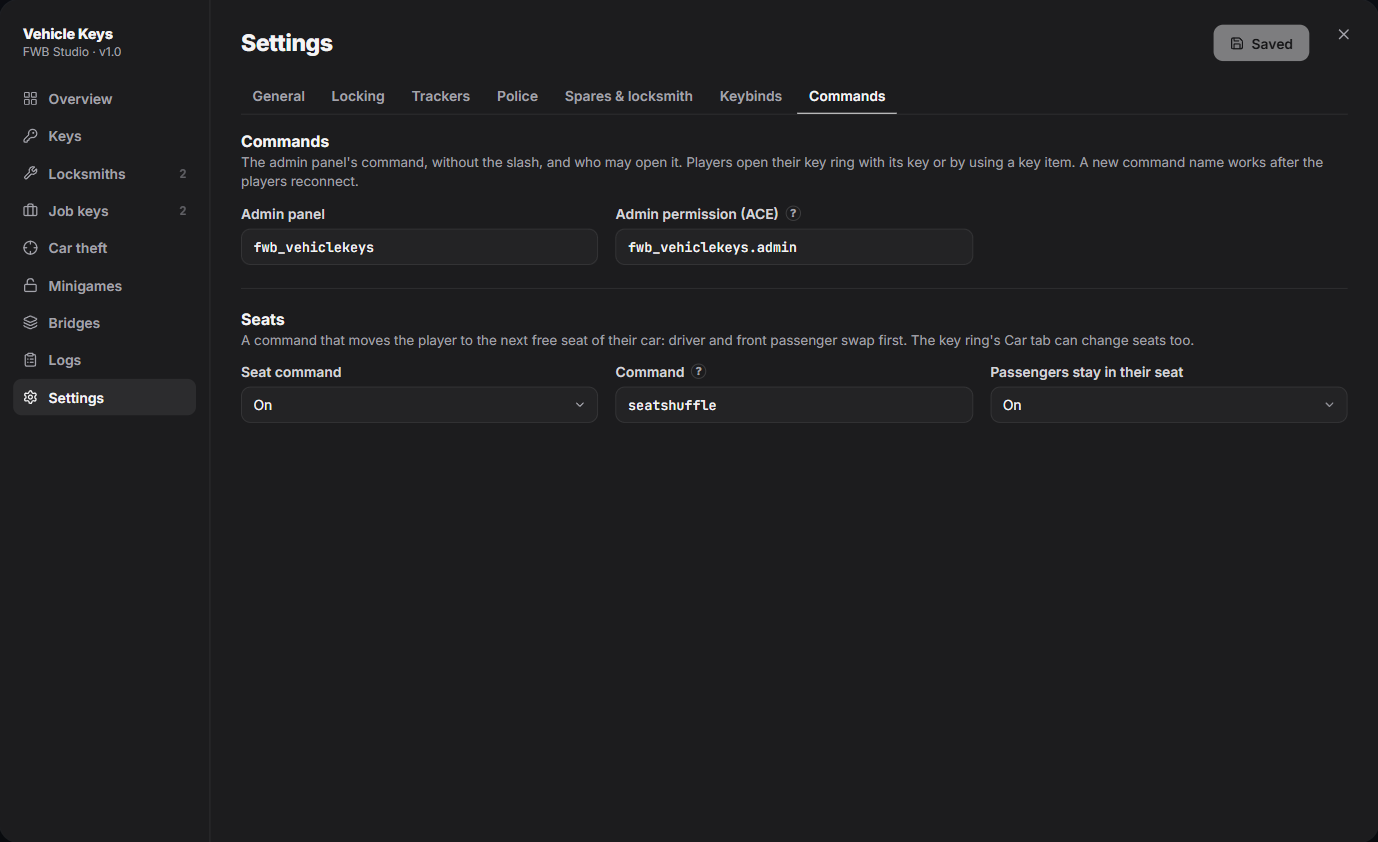
The command name and the ACE can be renamed in Settings → Commands.
/seatshuffle
Moves the player to the next free seat of the car they sit in. Driver and front passenger swap first (GTA's own slide across), then the other seats in order. Moving to the driver seat checks the key as usual.
Syntax
/seatshufflePermission
Everyone. Turn it off, or rename it, in Settings → Commands → Seats. A new name works after players reconnect.
Key Bindings
| Action | Default | Where |
|---|---|---|
| Lock / unlock | U (tap) | Near a car you have a key for, or sitting in it |
| Key fob | U (hold 1.5 s) | Anywhere. Tap the fob's screen for every key you hold. |
| Engine on / off | G | Driver seat, with a key |
| Hotwire | H | Driver seat, without a key |
| Search for a key | J | Driver seat without a key, or next to a dead NPC driver |
| Pick up a thrown key | E | Next to the key a carjacked driver threw |
| Scan a spot | E | Holding the scanner, at each spot round a car |
Using a key item from the inventory opens the key fob too.
Keys are registered as FiveM key bindings and don't show in chat. Players change them in Settings → Key Bindings → FiveM; the admin sets the defaults in /fwb_vehiclekeys → Settings → Keybinds.