
Interact — Replace Ox/Qb Target
Interact can take the place of ox_target, qb-target or qtarget. You delete the target, turn on one line, and every script made for that target keeps working without changing it: its options show up on Interact, as press E or as Interact's own target (hold ALT), whichever you choose.
| Keep your target (default) | Replace it | |
|---|---|---|
| Your target resource | Stays installed | Removed from resources |
| Scripts made for ox_target / qb-target | Keep using the target | Run on Interact, no changes |
| Scripts made for Interact | Press E or target | Press E or Interact's own target |
| Setup | Nothing to do | The 5 steps below |
Want to keep your target? Then you don't need this page: Interact already runs next to it.
1. Move the target out of resources
Take the target resource (ox_target, qb-target or qtarget) out of the resources folder completely, and remove its ensure line from server.cfg.
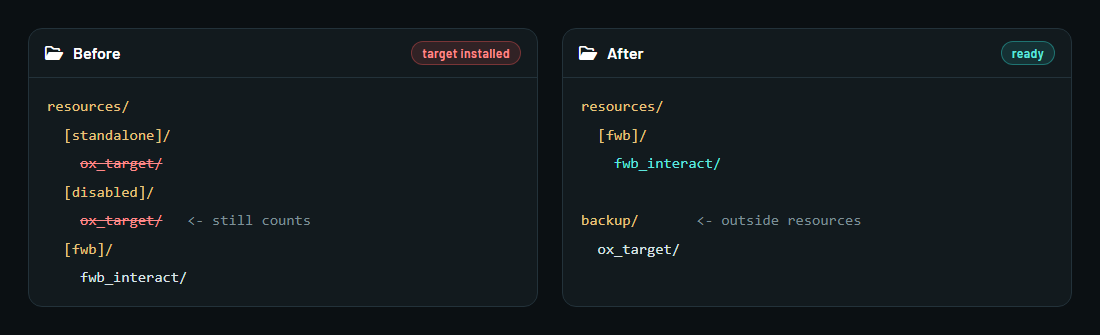
A parked folder like [disabled] inside resources is not enough: FiveM still sees the resource there, and scripts that check for it, or list it as a dependency, find that copy instead of Interact. Move it next to resources, for example into a backup folder, so you can bring it back later.
2. Turn on the provide line
Open fwb_interact/fxmanifest.lua and remove the -- in front of the line of the target you replaced.
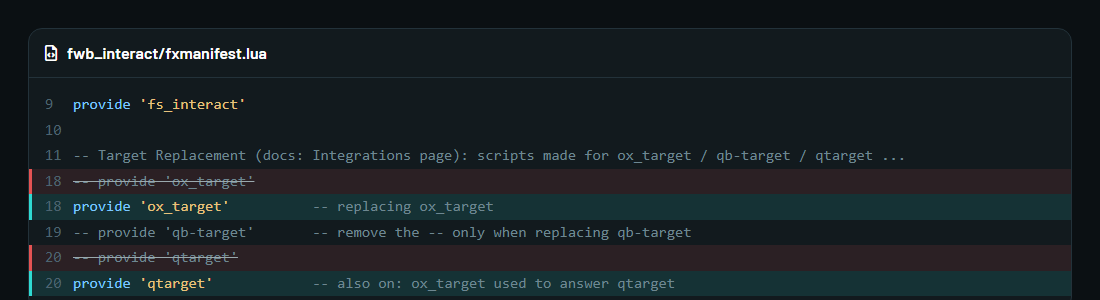
- Replacing ox_target: turn on
provide 'ox_target'and alsoprovide 'qtarget'. ox_target used to answer scripts that still useexports.qtarget. - Replacing qb-target: turn on
provide 'qb-target'. - Replacing qtarget: turn on
provide 'qtarget'.
Only turn a line on when that target is gone. Running cr_interact too? Turn the line on in one of them only.
3. Ensure Interact right after your framework
Put ensure fwb_interact where your target was: right after your framework (es_extended, qb-core or qbx_core) and before every script that uses the target. Scripts add their target options when they start, so a script that starts before Interact loses them.
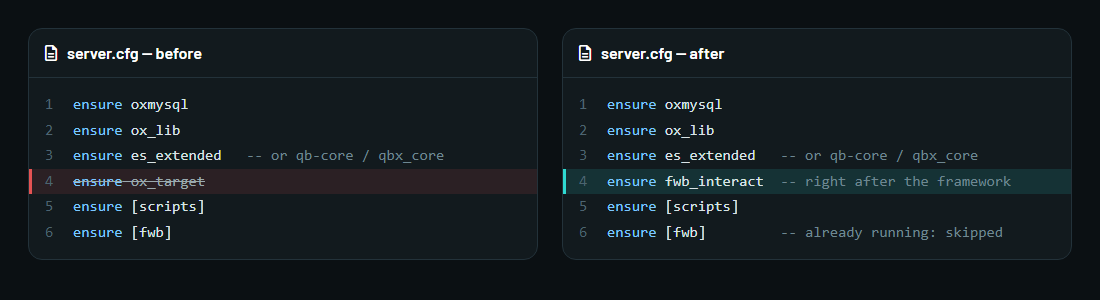
Is fwb_interact inside a folder that is ensured later, like ensure [fwb]? Still add its own ensure fwb_interact line after the framework. FiveM starts it there, and the folder line skips it because it is already running.
4. Restart the server and check the console
Restart the whole server. Restarting only the resource is not enough, because provide lines are read when the server starts.
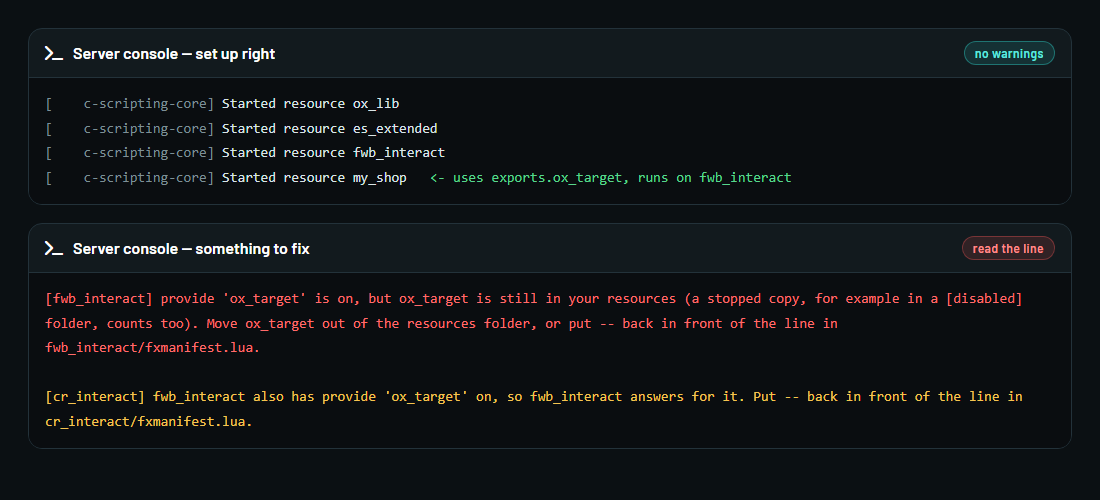
Interact checks the setup every time the server starts and prints a line when something can't work, debug on or off:
| Console line | What to do |
|---|---|
Red: provide 'ox_target' is on, but ox_target is still in your resources | Move the target out of resources (step 1), or put the -- back |
Yellow: cr_interact also has provide 'ox_target' on | Both Interacts have the line on. Put the -- back in the one the line names |
5. Choose press E or target
Open /fwb_interact → General → How spots are used.
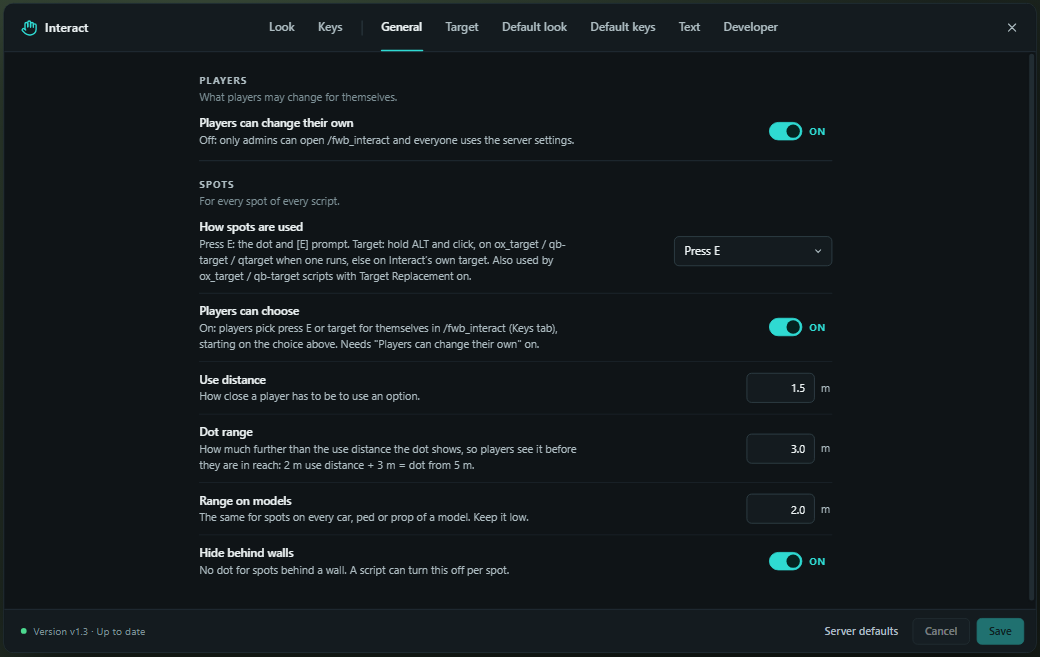
| Setting | What it does |
|---|---|
| How spots are used | Press E (default) or Target, for every spot of every script, including the replaced target's scripts. Applies live, no restart |
| Players can choose | On: every player can pick press E or target for themselves |
| Use distance | How close a player has to be, for options that don't set their own distance |
| Dot range | How much further than the use distance the dot shows (1.5 m + 3 m = dot from 4.5 m) |
With Players can choose on, each player finds the same choice at the top of their own Keys tab. It starts on the server's choice (grey Server tag) and only changes their own game:
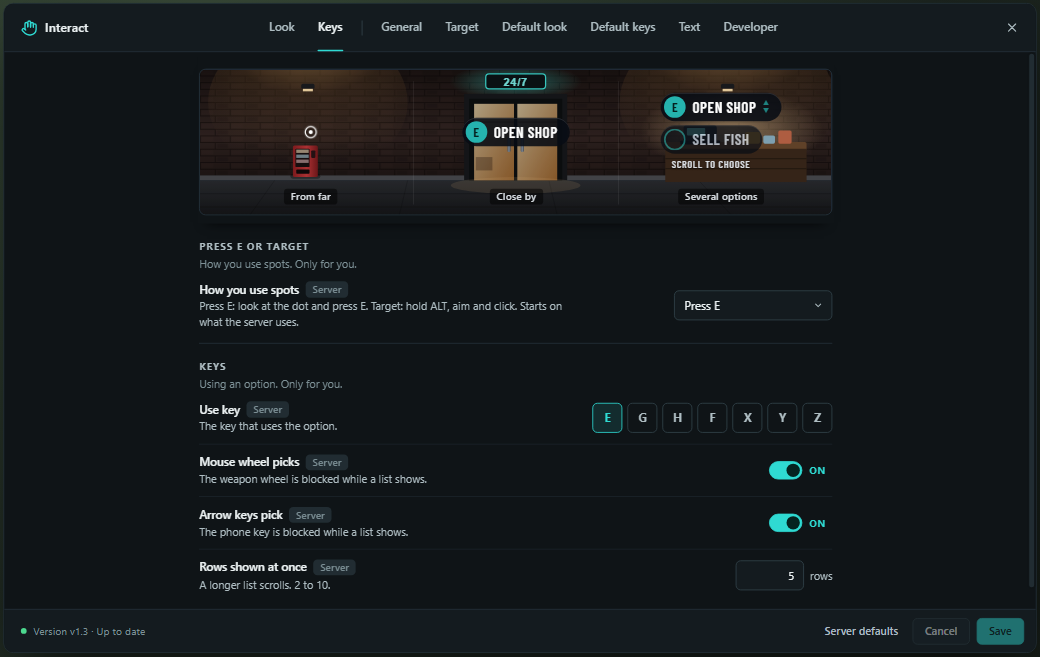
What players see
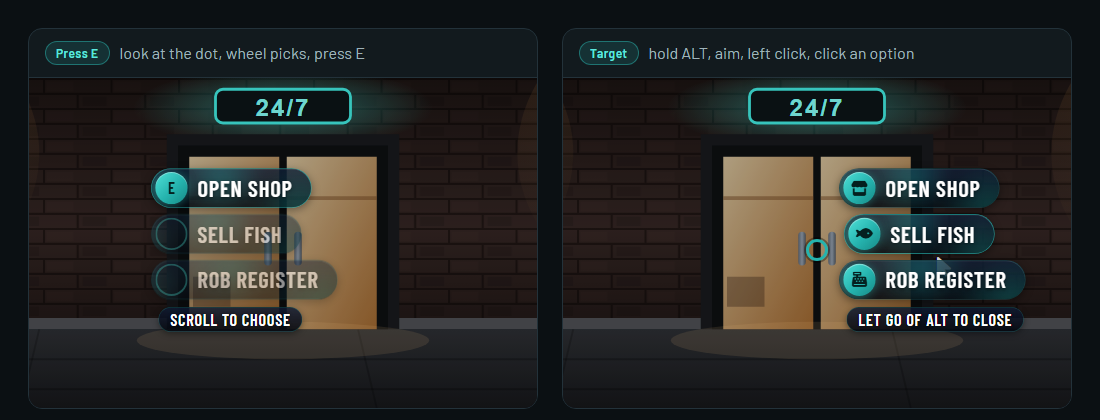
| Press E | Target | |
|---|---|---|
| From further away | The dot | The dot |
| Close enough | [E] with the option, or a list | The dot turns into an eye box |
| Using it | Mouse wheel / arrows pick, E uses | Hold ALT: a ring shows in the middle of the screen. Aim at the thing and its options show next to the ring, each with its icon. Left click: the mouse cursor appears in the middle; click an option |
| Closing | Walk away or look away | Let go of ALT |
- The icon is the option's own (the
iconthe script gave ox_target / qb-target), else Default icon on the Target tab. - Players can put the target eye on another key: GTA Settings → Key Bindings → FiveM → Target eye (hold).
- Shooting and punching are blocked while
ALTis held, so the click doesn't fire.
What works
All the usual ox_target, qb-target and qtarget exports and option fields: zones, models, entities, globals, bones, SpawnPed, jobs, gangs and items. The full list is on Integrations → What works.
Not carried over: ox_target sub menus (menuName / openMenu), offset and iconColor; qb-target AddComboZone and its Get…Data / Update…Data functions. The door, hood and trunk options ox_target and qb-target put on every car are added by Interact instead (Car options with target in /fwb_interact → General, on by default; Car options with press E adds them to press E too). Zones and peds in qb-target's own config.lua go with it.
Turn it off again
- Put the
--back in front of theprovideline. - Move your target back into
resourcesand add itsensureline right after your framework. - Restart the server.
Troubleshooting
| Problem | Fix |
|---|---|
| "No such export … in resource ox_target" | The provide line is still off, only the resource was restarted, or the script starts before fwb_interact. Do steps 2 to 4 again |
| A script won't start and says it needs ox_target | The provide line must be on, and fwb_interact ensured before that script |
Holding ALT shows no ring | How spots are used is on Press E (or the player picked Press E for themselves) |
| An option with a job or item never shows | Check the player has that job (and grade) or item. Jobs come from ESX, QBCore or Qbox; items from ox_inventory or the framework's inventory |
| A script's options are gone after restarting fwb_interact | Restart that script too, or the whole server: it added its options to the old copy |
| Something works with ox_target but not here | Tell us on Discord which script and which export it uses |